Telegram alerts: know when your condition hits without watching the chart
What you need
- An account on the platform.
- Telegram on your phone or computer.
- The conditions you want to track. How to build them: Condition Bands.
Step 1. Connect Telegram
You do this once.
- Open the account menu at the top right → Notifications (1).
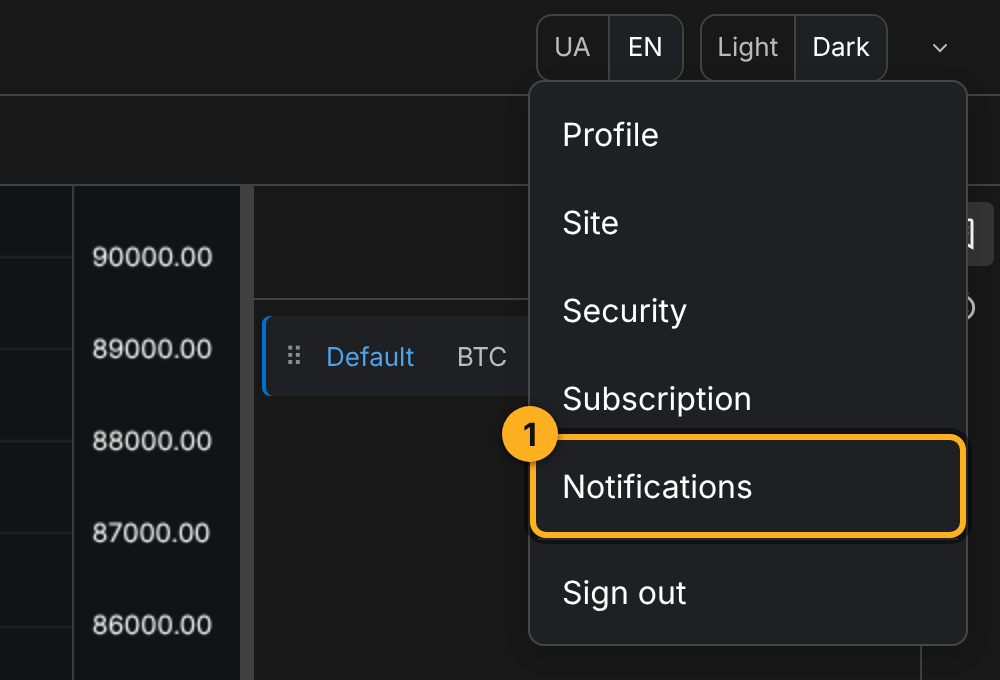
The account menu with the Notifications item (1). - Next to Telegram, click Connect (1).
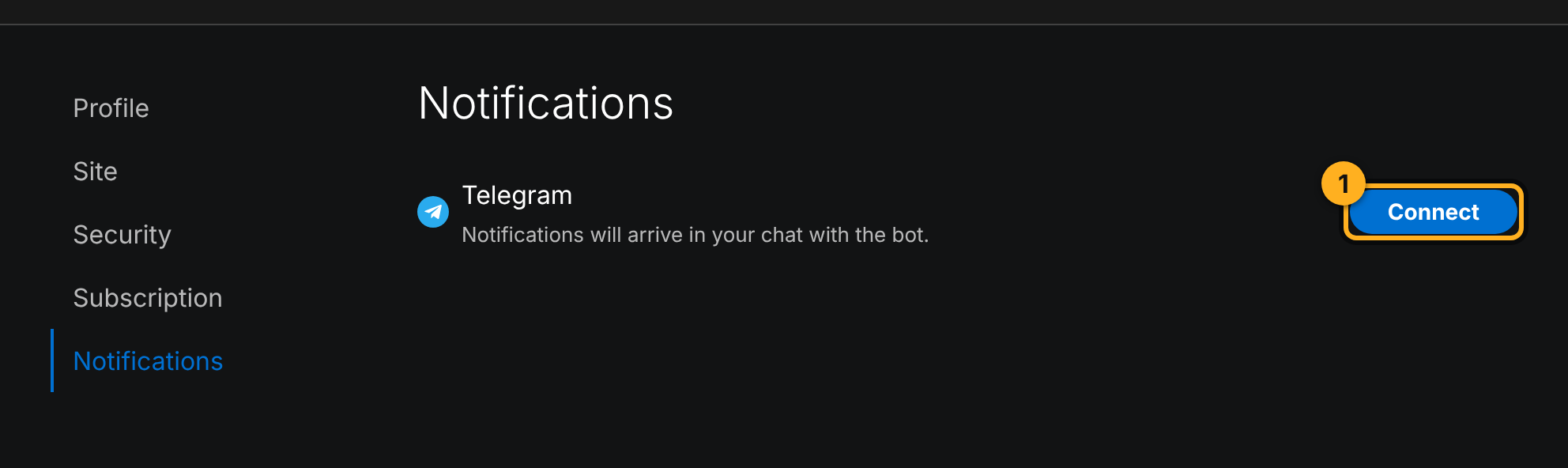
The Notifications page, the Connect button next to Telegram (1). - A link to Depth Liquidity Alert Bot opens. In Telegram, press Start. Until you do, the page shows Waiting for confirmation (1). Changed your mind? Click Cancel.
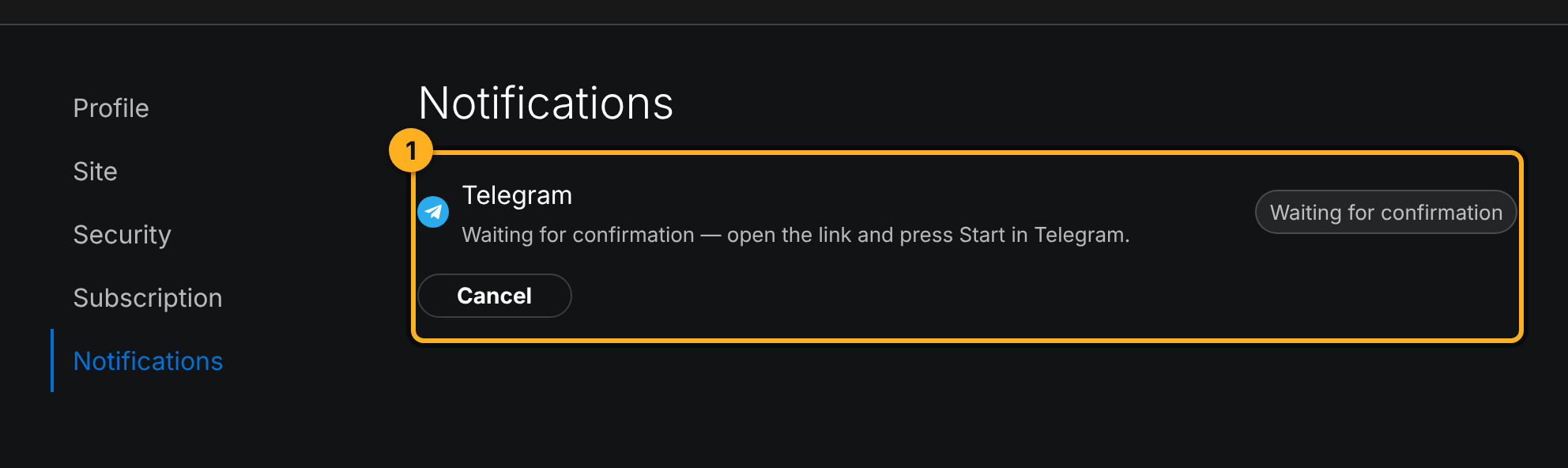
The Waiting for confirmation status (1) until you press Start in Telegram.
Step 2. Create an alert
- On the chart, open the alerts panel with the clock icon on the right (1). If Telegram is not connected yet, the panel reminds you (2). Click Create alert (3).
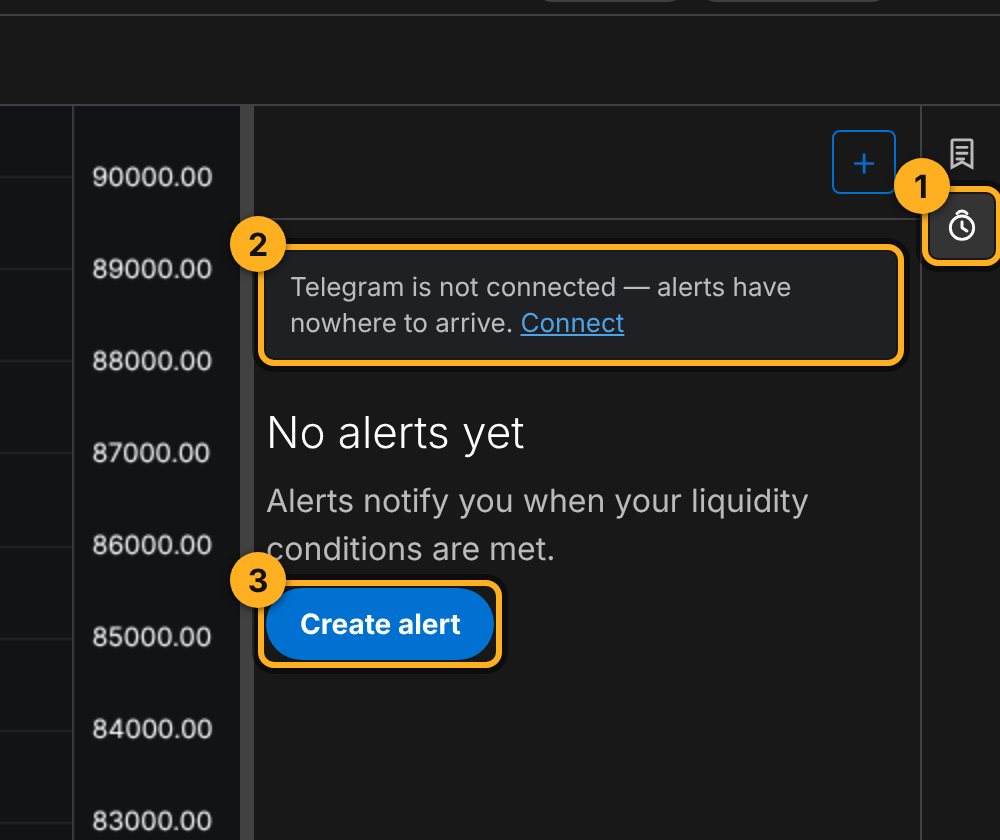
1 The alerts panel icon. 2 The reminder that Telegram is not connected. 3 The Create alert button. - Fill in the form:
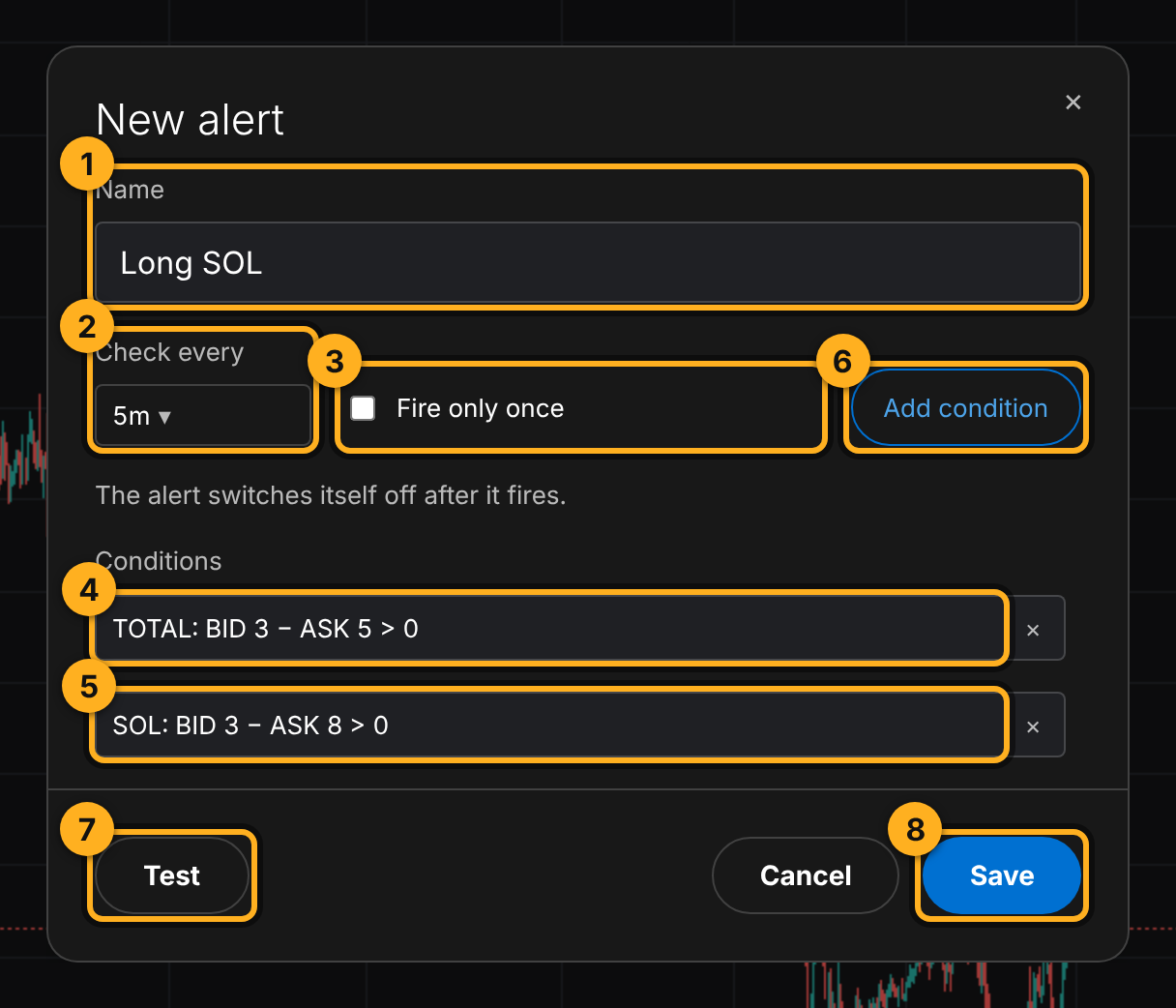
1 Name, the title the message arrives with. 2 Check every, how often to check, from 1 minute to 1 day. 3 Fire only once, the alert switches itself off after the first time it fires. 4 The first condition. 5 The second condition. Click a condition row to edit it, × deletes it. 6 Add condition. 7 Test. 8 Save. - Each condition has its own Asset: any coin or TOTAL (the whole market). That is how one alert combines the market and a coin:
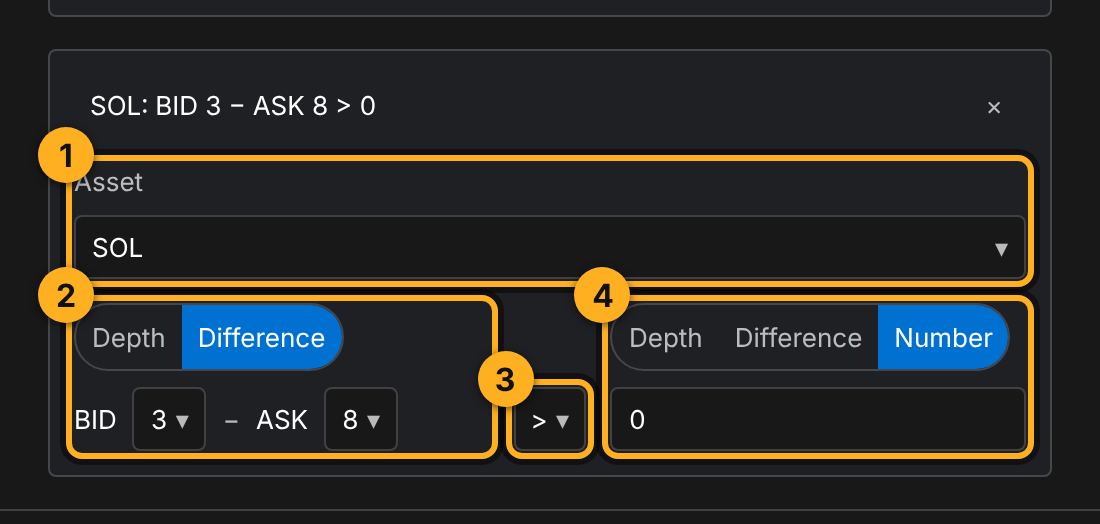
1 Asset, a coin or TOTAL. 2 Left side, Depth (one depth) or Difference (BID at one depth minus ASK at another). 3 Comparison. 4 Right side, Depth, Difference or Number (in full dollars). - Click Save.
Shortcut: in the Condition Bands window, click the bell icon, Create alert. The form opens with the conditions already filled in. Conditions with the COIN source get the coin that is open on the chart.
Step 3. Manage your alerts
Saved alerts live in the same panel:
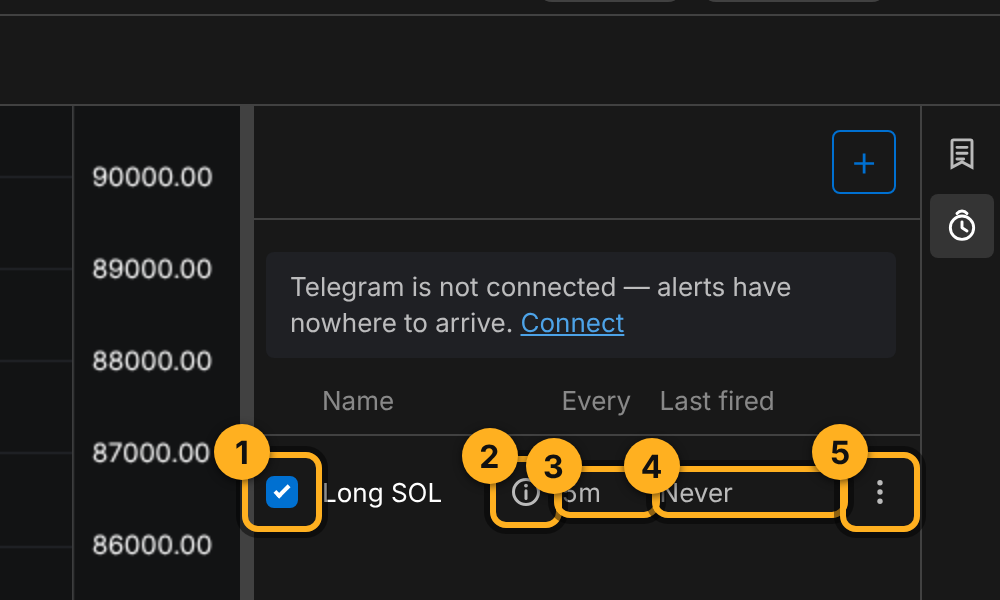
How often messages arrive
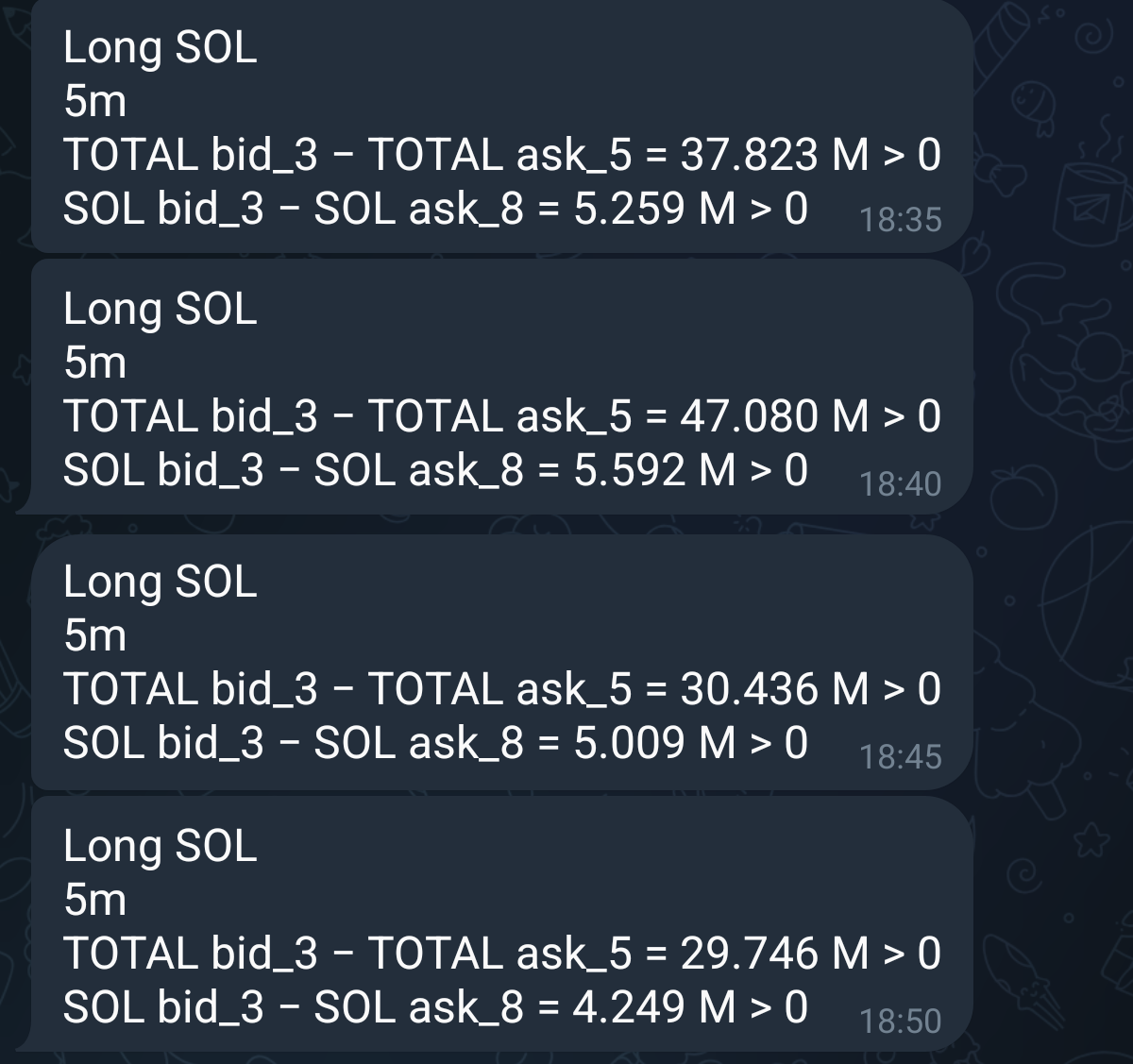
The alert checks its conditions at the Check every interval. Without Fire only once, it sends a message on every check while the conditions hold. In the screenshot at the top, a 5m alert arrived at 18:35, 18:40, 18:45 and 18:50: the conditions held for the whole 20 minutes.
- Want one signal and then watch it yourself: turn on Fire only once.
- Too many messages: raise Check every (say 1h instead of 5m) or add a condition.
- Messages arriving in a series is information too: the condition is not a fluke, it is holding.
Tips
- Give alerts names that tell you what to do: "Long SOL", "Total Short". The name is the first thing you see in Telegram.
- Values in the message are from the moment of the check. Before acting, open the chart and look at BID / ASK.
- Test the condition on history before setting an alert: the same conditions in Condition Bands show how often it fired before.
Try it yourself
- Connect Telegram.
- Create an alert "Market + BTC": Check every 1h, conditions
TOTAL: BID 3 > ASK 3andBTC: BID 3 > ASK 3. - Wait for the first message and compare its values with the chart.
Not financial advice.