Screener: find coins whose order book matches your conditions
What you need
- An account on the platform.
- Conditions. They work the same way as in Condition Bands: BID and ASK at different depths from the BID / ASK indicator.
Steps
1. Set your conditions
Open Screener in the top menu.
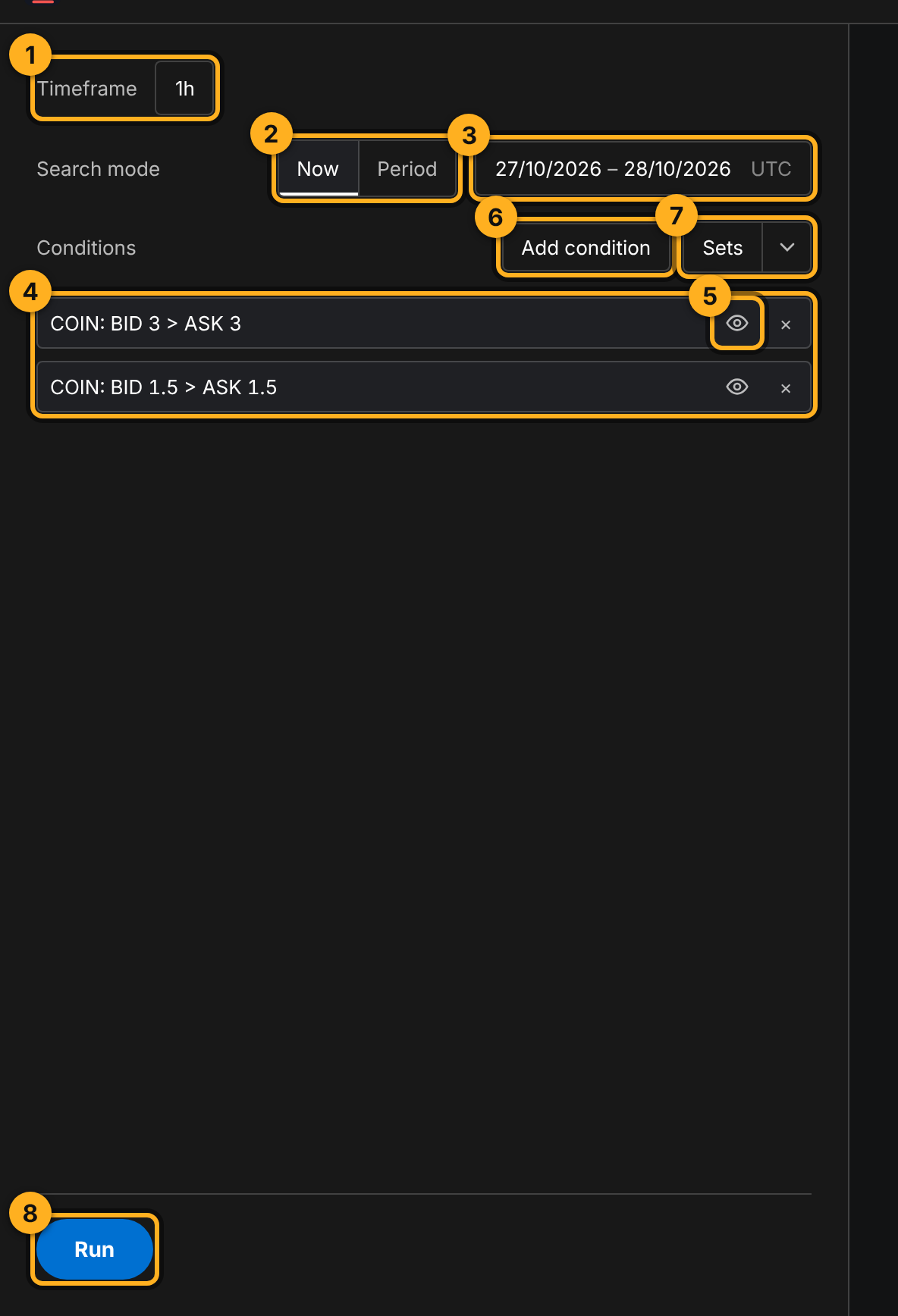
The screenshot has two conditions: the coin has more buyers than sellers both within 3% and within 1.5% of the price.
Each condition is built the same way as in Condition Bands: Source (COIN or TOTAL), left side (Depth or Difference), comparison, right side (Depth, Difference or Number). Step by step with pictures: Condition Bands.
Shortcut: set up conditions in Condition Bands on the chart and click Use in screener. The Screener opens with the same conditions.
2. Run it and look at the results
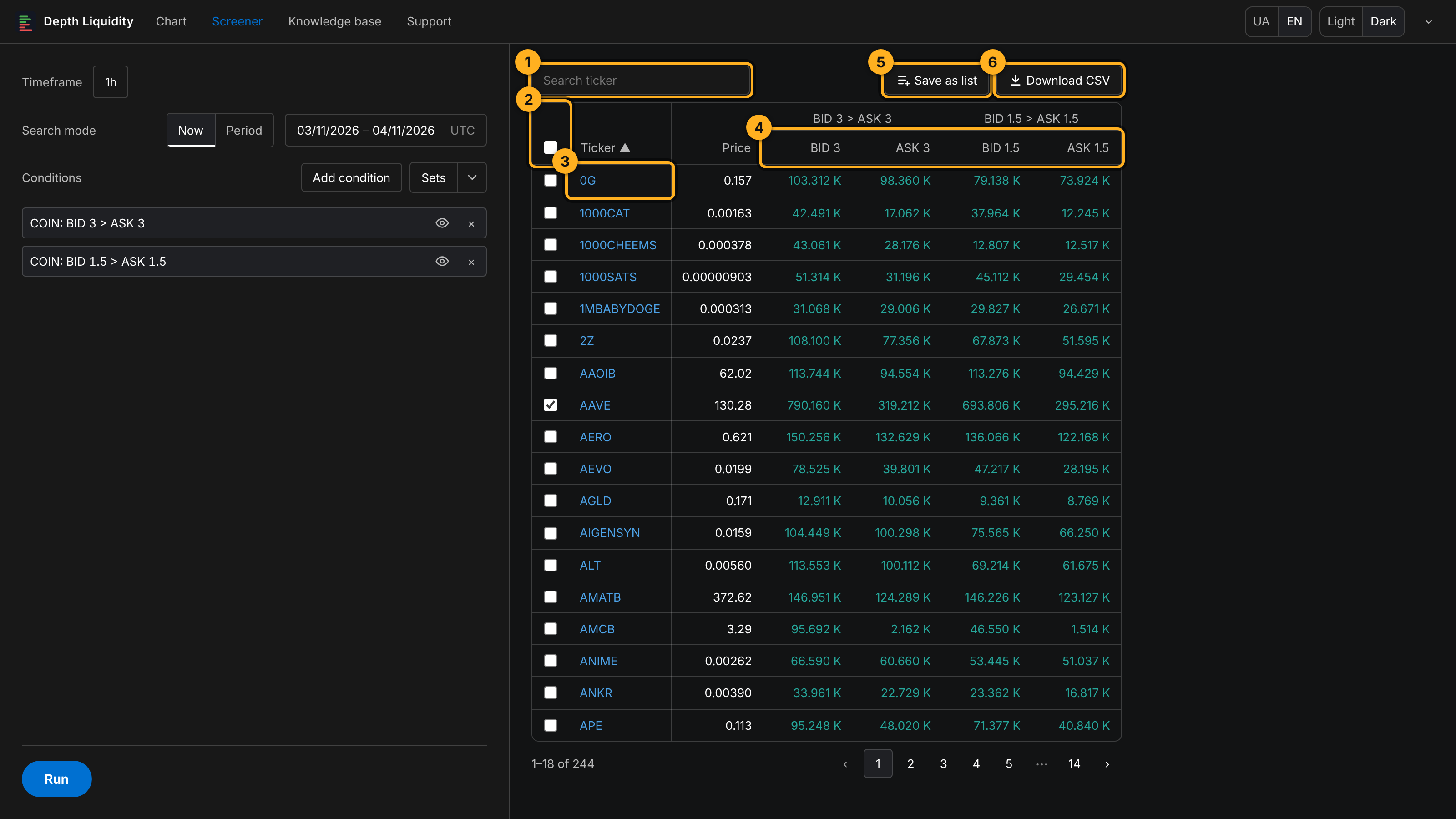
Click Run.
3. Save coins as a list
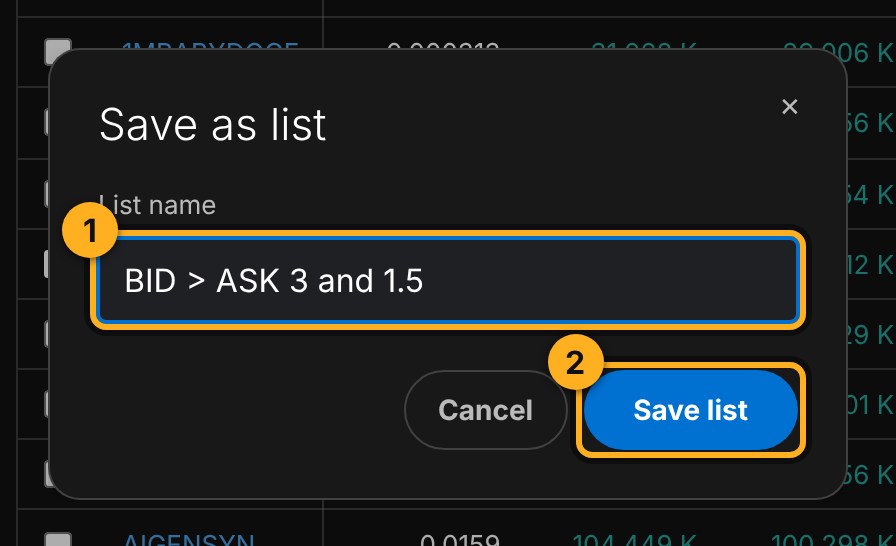
Tick coins (or all of them) and click Save as list. Name the list and click Save list.
The platform opens the chart of the first coin, and the list shows up in the right panel:
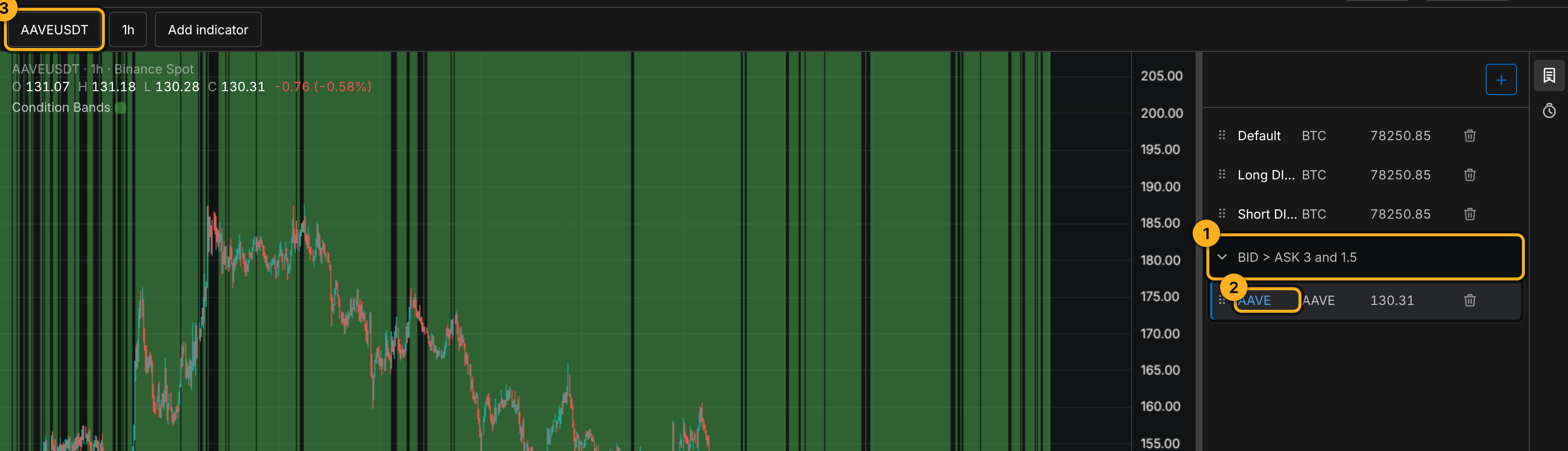
That way you can go through every coin you found, one by one, and look at each on the chart.
Period mode: when the condition held
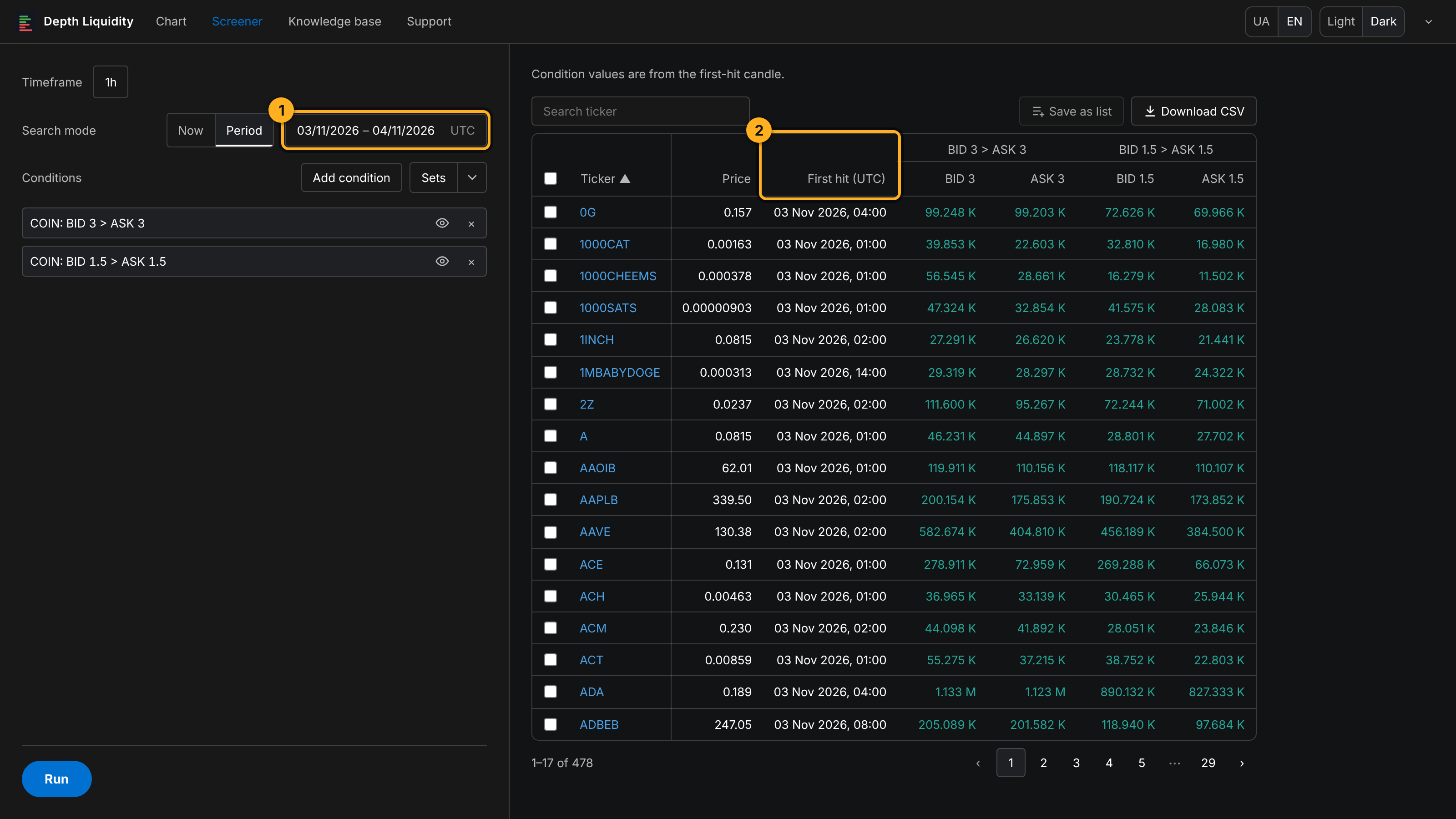
In Period mode the Screener finds coins where the conditions held on at least one candle within the chosen dates.
Saved condition sets (Sets)
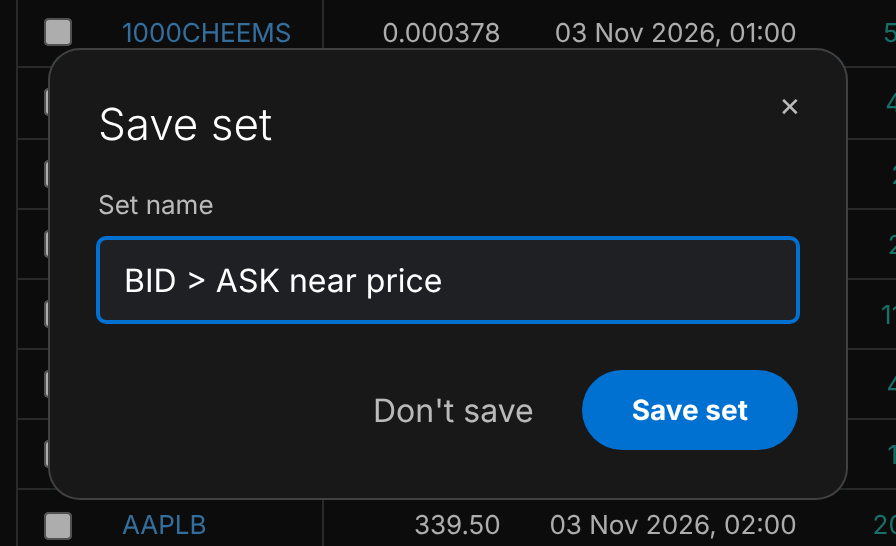
If you use the same conditions all the time, save them: Sets → name → Save set. Next time, pick the set from the arrow next to Sets.
A TOTAL condition in the Screener
A condition with the TOTAL source is the same for every coin: it is the state of the whole market. So it acts as a market-wide gate:
- the market passes the condition, and the list is the same as without it;
- the market fails it, and in Now mode the list is empty, with a note that no coins match right now.
That is not an error. It is the Screener telling you the market is not on your side right now. To find coins that hold up on their own, keep only COIN conditions.
Tips
- Now checks the candle that is still open, so values change until it closes. At the start of a candle TOTAL data can take a few seconds to appear; if the result is empty, run it again.
- Too many coins: add a condition or use a deeper depth. Too few: turn one condition off with the eye and see which one cuts the most.
- To hear about a coin as soon as it passes, without running the Screener by hand, set a Telegram alert with the same conditions.
Try it yourself
- Timeframe 1h, Now, conditions
COIN: BID 3 > ASK 3andCOIN: BID 1.5 > ASK 1.5. Run it. - Sort by BID 3 and save the top five coins as a list.
- Go through the list on the chart: on how many coins has BID 3 stayed above ASK 3 for several candles in a row?
Not financial advice.